
第 1 層:本機暫存資料
.git/agentnote/sessions/ 內的工作階段資料。這裡保存 prompts、changes 與 blob hashes 對應的 JSONL 檔案。每次 commit 後都會 rotate,永遠不會被 push。
這一頁說明 report 背後的機制:哪些內容在 local 被收集,哪些內容會變成 git note,以及這些 data 如何進入 PR Report 和 Dashboard。使用 Agent Note 不需要記住所有細節,但當結果不符合預期時,這裡是可以回看的 model。
hooks 會記錄 prompt 與 turn id。
hooks 或 transcripts 會記錄發生變化的檔案,以及用來做 attribution 的線索。
當 session 有可記錄 data 時,git commit 會注入 trailer 並寫入 git note。
git push 會把 refs/notes/agentnote 傳送到 remote。
只要生成的 git hook 已安裝,大多數儲存庫裡就繼續正常使用 git commit 與 git push 即可。Cursor 也能從本機 transcript 還原 prompt / response,在 git hook 無法使用的環境下也能繼續追蹤 commit。
第 1 層:本機暫存資料
.git/agentnote/sessions/ 內的工作階段資料。這裡保存 prompts、changes 與 blob hashes 對應的 JSONL 檔案。每次 commit 後都會 rotate,永遠不會被 push。
第 2 層:Git Notes
refs/notes/agentnote 中的永久紀錄。每個 commit 一份 JSON。可 push、可 fetch,也可與團隊共享。
| 檔案 | 用途 |
|---|---|
prompts.jsonl | 每行一個 prompt,並附帶 turn 編號 |
changes.jsonl | AI 編輯過的檔案,以及 post-edit blob hashes |
pre_blobs.jsonl | 每次 AI edit 前的檔案狀態 |
heartbeat | 工作階段活動時間戳 |
turn | 每次 prompt 都會遞增的單調計數器 |
{ "v": 1, "agent": "claude", "session_id": "a1b2c3d4-...", "timestamp": "2026-04-02T10:30:00Z", "model": "claude-sonnet-4-20250514", "interactions": [ { "prompt": "實作 JWT auth middleware", "contexts": [ { "kind": "reference", "source": "previous_response", "text": "上一則 response 說明了為什麼這個 middleware 需要修改。" } ], "selection": { "schema": 1, "source": "primary", "signals": ["primary_edit_turn"] }, "response": "我會建立這個 middleware...", "files_touched": ["src/auth.ts"], "tools": ["Edit"] } ], "files": [ { "path": "src/auth.ts", "by_ai": true }, { "path": "CHANGELOG.md", "by_ai": false } ], "attribution": { "ai_ratio": 73, "method": "line", "lines": { "ai_added": 146, "total_added": 200, "deleted": 12 } }}
通常是 line-level。Agent Note 會比較每次 AI edit 前後的檔案狀態,再把之後出現的人類 edit 從最終 diff 裡扣掉。
起點是 file-level。只有 transcript 中的 patch 計數與最終 commit diff 一致時,才會升級成 line-level。
起點是 file-level。只有 edit 計數一致,且最終檔案仍與最後一次 AI edit 相同時,才會升級成 line-level。
透過 hooks 與 transcript 解析記錄 prompt / response 與 file-level attribution。目前還沒有 line-level 歸因。
📝 Context 的收集方式📝 Context 是只用於顯示的補充說明,用來幫助理解 continue 或 做下一個 這類很短的 prompt。它不會改變 attribution。
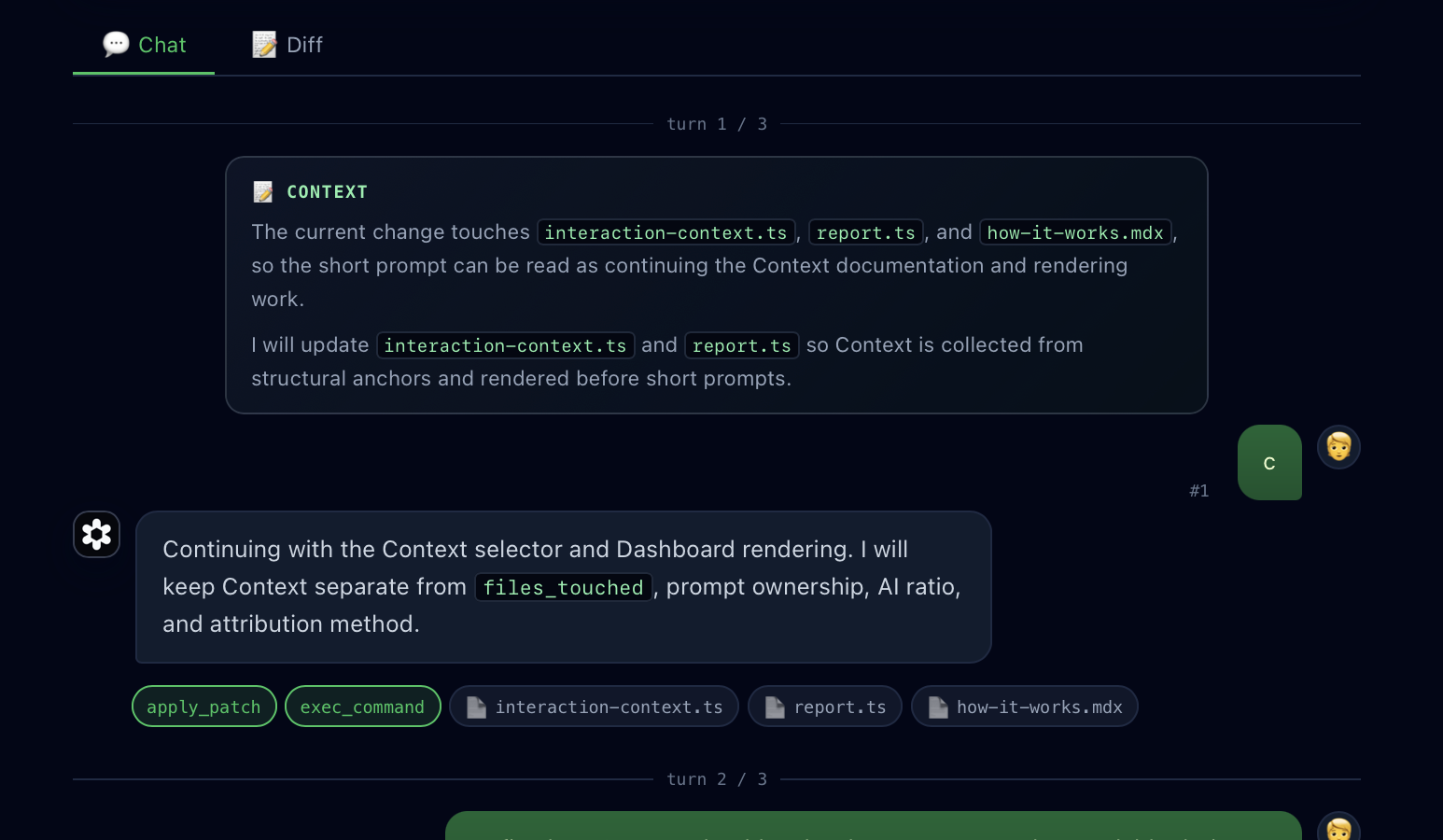
reference context 來自上一則 response。只有當上一則 response 提到最終 diff 中的 file path、file name 或 code identifier 時才會使用。scope context 來自目前的 response。只有當 response 開頭明確說明本次工作範圍時才會使用。yes、continue、お願いします 這類短確認來選擇 Context。如果沒有具體的 file 或 code 線索,就不會加入 Context。files_touched、prompt ownership、AI Ratio、attribution method,也不會影響是否保存 git note。Agent Note 和 Entire 解決的是相關但不同的問題。
refs/notes/agentnote;暫時 session 檔案保留在 .git/agentnote/ 下。Entire 以 checkpoint metadata 和 hosted web application 為中心。| 事件 | 發生內容 |
|---|---|
| SessionStart | 建立 session 目錄並寫入 heartbeat |
| UserPromptSubmit | 追加 prompt、遞增 turn counter,並輪換 logs |
| PreToolUse Edit/Write | 同步擷取 pre-edit blob hash |
| PostToolUse Edit/Write | 擷取 post-edit blob hash 與檔案路徑 |
| Stop | 記錄 stop 事件(heartbeat 會保持有效 —— Stop = response 結束,不是 session 結束) |
Git notes 不會出現在 branch 清單、GitHub UI 或 CI 中,但依然可以 push 與 fetch。
# 與團隊共享git push origin refs/notes/agentnote
# 從 remote 取回git fetch origin refs/notes/agentnote:refs/notes/agentnote
# 查看 notegit notes --ref=agentnote show <commit>


