
记录 AI 参与的变更
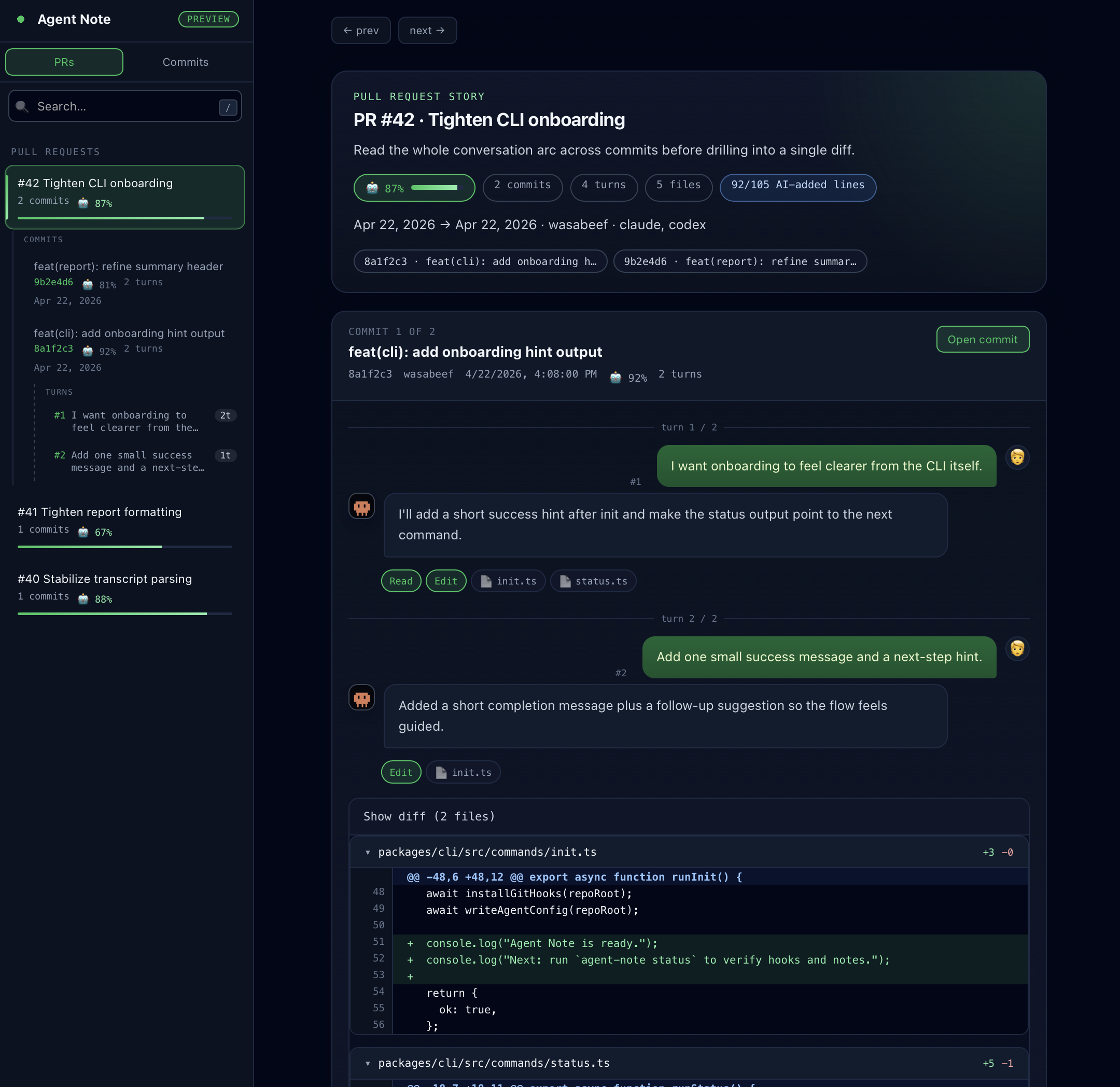
查看哪些提交和文件得到了 AI 帮助。证据足够时,Agent Note 也会估算 AI 编写的行数。
半年前我重新阅读了 AI 帮我写的代码,却无法回答「为什么要这样做?」。git log 里只有 diff。提示词、响应——全都消失了。
于是我开始把 AI 对话附加到每一个 commit 上。
记录 AI 参与的变更
查看哪些提交和文件得到了 AI 帮助。证据足够时,Agent Note 也会估算 AI 编写的行数。
提示词和响应一并保存
模型名称和工具使用情况也一起——全部与变更捆绑存入 git notes。
自动生成 PR 报告
AI Ratio、提示词数量、commit 哈希,以及供 AI Review 工具读取的隐藏补充上下文。
仅写入 git notes
分支保持干净。push / fetch 与团队共享,也可以在 GitHub Pages 上发布可选的静态 Dashboard。
| 如果你想… | 阅读 |
|---|---|
| 安装前先了解 Agent Note 会添加什么 | 快速开始 |
| 在仓库中安装 Agent Note | 安装 |
| 添加 PR 中显示的报告 | GitHub Action |
| 发布团队共享的历史页面 | Dashboard |
| 查看每个 agent 能记录什么 | Agent 支持 |
| 了解会保存什么、谁能看到 | Data & Privacy |
| 修复缺失的 notes、prompt 或 Dashboard 数据 | Troubleshooting |
在仓库中运行 init
npx agent-note init --agent claudenpx agent-note init --agent codexnpx agent-note init --agent cursornpx agent-note init --agent gemininpx agent-note init --agent claude cursor提交生成的文件
git add .claude/settings.json .github/workflows/agentnote-pr-report.ymlgit commit -m "chore: enable agent-note"git push.codex/config.toml 和 .codex/hooks.json.cursor/hooks.json.gemini/settings.json用 AI 编写代码。
装好生成的 git hook 后,直接继续使用普通 git commit 即可。
npx agent-note statusagent-note v1.x.x
agent: active (cursor)capture: cursor(prompt, response, edits, shell)git: active (prepare-commit-msg, post-commit, pre-push)commit: tracked via git hookssession: a1b2c3d4…agent: cursorlinked: 3/20 recent commitsagent: 显示已启用的 adapter,capture: 汇总当前 hook 收集的内容,git: 显示受管理的 git hook 是否已安装,commit: 显示普通 git commit 是否为主路径。
commit:  ce941f7 feat: add JWT auth middlewaresession: a1b2c3d4-5678-4abc-8def-111122223333
ai:      60% (45/75 lines) [█████░░░]model:   claude-sonnet-4-20250514agent:   claudefiles:   3 changed, 2 by AI
  src/middleware/auth.ts  🤖  src/types/token.ts  🤖  CHANGELOG.md  👤
ce941f7 feat: add auth [a1b2c3d4… | 🤖60% | 2p]326a568 test: add tests [a1b2c3d4… | 🤖100% | 1p]ba091be fix: update deps## 🧑💬🤖 Agent Note
**Total AI Ratio:** ████████ 73%**Model:** `claude-sonnet-4-20250514`
| Commit | AI Ratio | Prompts | Files ||---|---|---|---|| ce941f7 feat: add auth | ████░ 73% | 2 | auth.ts 🤖 |详情请查看 Agent 支持。