
レイヤー 1: ローカル一時データ
.git/agentnote/sessions/ 内のセッションデータ。プロンプト、変更、blob ハッシュの JSONL ファイル。コミットごとにローテーション。push されません。
このページでは、Agent Note が何を local で集め、何を git note に残し、それが PR Report や Dashboard にどう届くかを説明します。使うだけなら全部覚える必要はありませんが、表示が期待と違うときに立ち戻るための model です。
hook が prompt と turn id を記録します。
hook または transcript が、変更された file と attribution の手がかりを残します。
git commit で、記録できる data がある session だけ trailer を差し込み、git note を書き込みます。
git push で refs/notes/agentnote を remote に送ります。
生成された git hook が入っていれば、ふだんどおり git commit と git push を使うだけで動きます。Cursor は local transcript から prompt / response を復元でき、git hook が使えない環境でも shell hook で追跡を続けられます。
レイヤー 1: ローカル一時データ
.git/agentnote/sessions/ 内のセッションデータ。プロンプト、変更、blob ハッシュの JSONL ファイル。コミットごとにローテーション。push されません。
レイヤー 2: Git Notes
refs/notes/agentnote の永続レコード。コミットごとに 1 つの JSON。push・fetch・チーム共有が可能。
{ "v": 1, "agent": "claude", "session_id": "a1b2c3d4-...", "timestamp": "2026-04-02T10:30:00Z", "model": "claude-sonnet-4-20250514", "interactions": [ { "prompt": "JWT 認証ミドルウェアを実装して", "contexts": [ { "kind": "reference", "source": "previous_response", "text": "直前の response が、この middleware を変更する理由を説明しています。" } ], "selection": { "schema": 1, "source": "primary", "signals": ["primary_edit_turn"] }, "response": "ミドルウェアを作成します...", "files_touched": ["src/auth.ts"], "tools": ["Edit"] } ], "files": [ { "path": "src/auth.ts", "by_ai": true }, { "path": "CHANGELOG.md", "by_ai": false } ], "attribution": { "ai_ratio": 73, "method": "line", "lines": { "ai_added": 146, "total_added": 200, "deleted": 12 } }}
通常は line-level です。AI edit の前後の file 状態を比べ、あとから入った人間の edit を最終 diff から差し引いて計算します。
最初は file-level です。transcript の patch 行数が最終 commit diff と一致したときだけ line-level に上がります。
最初は file-level です。edit 行数が合い、最後の AI edit 後の file がそのまま残っているときだけ line-level に上がります。
hook と transcript 解析で prompt / response と file-level attribution を記録します。line-level はまだありません。
📝 Context の集め方📝 Context は、続けて や 次の作業にうつって のような短い prompt を読みやすくするための表示専用の補足です。attribution には影響しません。
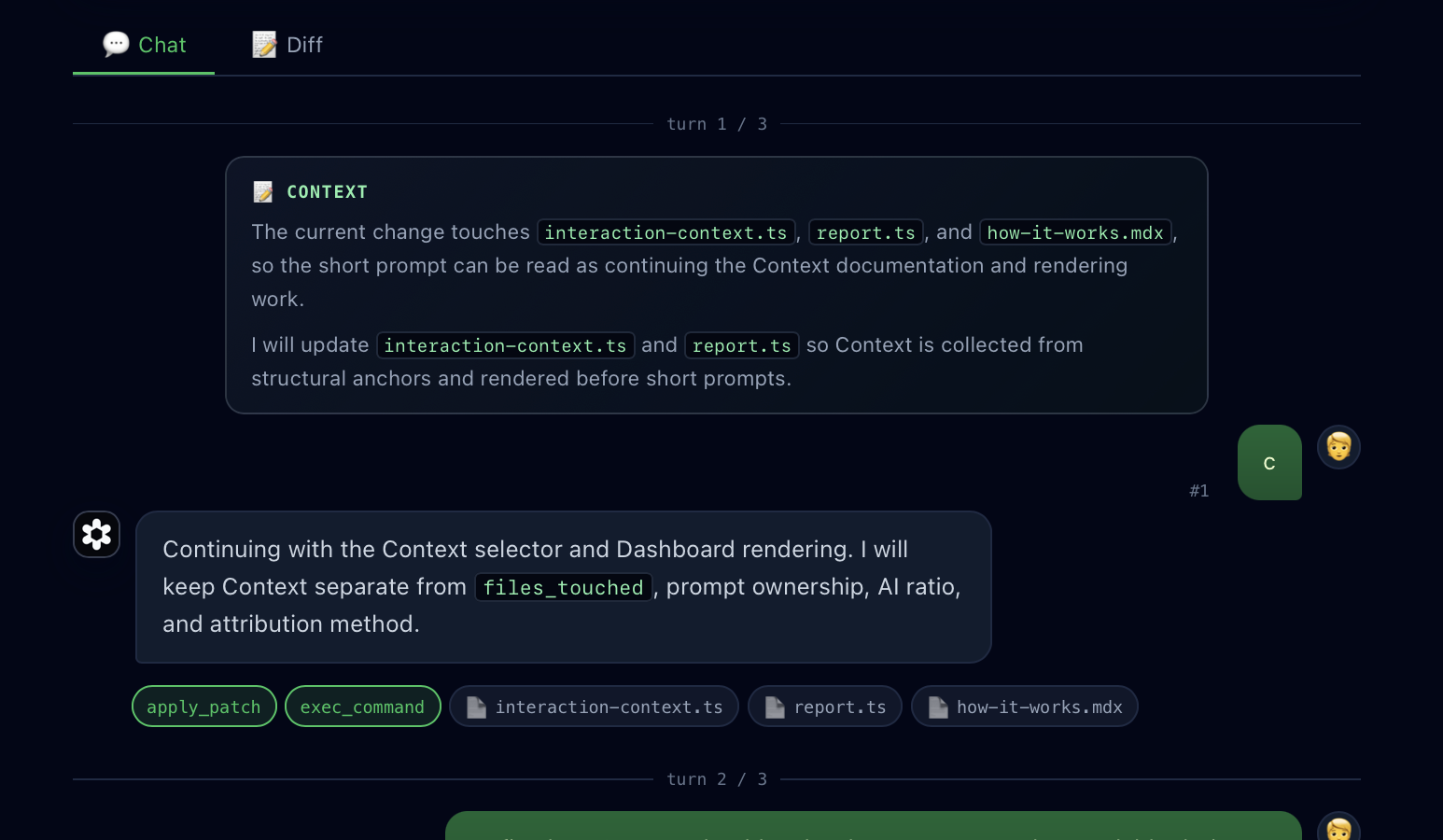
reference context は直前の response から取ります。最終 diff に含まれる file path、file 名、code identifier などがある場合だけ使います。scope context は現在の response から取ります。response の冒頭が今回の作業範囲を具体的に説明している場合だけ使います。はい、continue、お願いします のような短い返事だけでは選びません。file や code の具体的な手がかりがなければ Context は付けません。files_touched、prompt ownership、AI Ratio、attribution method、git note を保存するかどうかを変えません。Agent Note と Entire は近い領域ですが、目指している workflow が違います。
refs/notes/agentnote に保存され、一時データは .git/agentnote/ に置かれます。Entire は checkpoint metadata と hosted web application を中心にします。保存範囲、見える人、Agent Note service へ送信しないものは データとプライバシー を参照してください。


